How to make custom mugs with a Cricut
A custom mug is one of the most popular Cricut gifts. The method you choose, Infusible Ink or vinyl, decides how it looks and how it can be washed.

Quick answer
There are two main ways to make a custom mug with a Cricut. Infusible Ink transferred with a Cricut Mug Press onto a compatible mug blank gives a seamless design that Cricut says is dishwasher and microwave safe. Permanent adhesive vinyl applied to any plain mug is cheaper to start, but it sits on the surface: Cricut calls its Smart and Premium Permanent Vinyl dishwasher-friendly (top rack, after a 24–48 hour wait) and warns that vinyl may peel, flake and fade with washing over time. Tell the recipient which method you used.
- Time 30–60 minutes per mug, plus waiting time
- Difficulty Easy to moderate
- Cost $5 – $15 per mug in materials (press or cutting machine not included)
- Makes 1 mug per design; batches are easy
A mug with a name, an inside joke or a favorite saying is a gift people actually use every morning. It suits teachers, coworkers, grandparents and Secret Santa swaps, and it is easy to make several at once. Before you start, decide which method fits your budget and how the mug will be used, because the care instructions differ. For more machine projects see our Cricut gift ideas.
Infusible Ink or vinyl: which method to choose
| Infusible Ink + Mug Press | Permanent adhesive vinyl | |
|---|---|---|
| Equipment | Cutting machine, Cricut Mug Press, Infusible Ink sheets or pens | Cutting machine, permanent vinyl, transfer tape, scraper |
| Mug | Cricut mug blank or sublimation-compatible, poly-coated mug | Any smooth, clean ceramic or glass mug |
| Look | Ink becomes part of the coating; no raised edges | Sits on top; you can feel the edge |
| Care (per Cricut) | Dishwasher and microwave safe | Dishwasher-friendly on the top rack after 24–48 hours; may peel or fade over time |
| Best for | Everyday mugs that will be washed often | Budget projects, one-off gifts, decorative mugs |
What you need
- A Cricut cutting machine and Design Space
- For Infusible Ink: Cricut Mug Press, Infusible Ink transfer sheets or pens, a Cricut mug blank (or a sublimation-compatible mug that meets Cricut's size guidance), heat-resistant tape, lint roller
- For vinyl: Cricut Premium or Smart Permanent Vinyl, Standard Grip transfer tape, a scraper tool and a plain mug
- Weeding tool and a Standard Grip or LightGrip mat, as Design Space directs
- Rubbing alcohol and a lint-free cloth for cleaning the mug
- Heat-resistant gloves and a heat-safe surface for setting down a hot mug
- Ruler or tape measure
Method 1: Infusible Ink with a Mug Press
Size the design
Measure your blank and size the design to fit its flat, straight pressing area. Cricut lists maximum design sizes for each of its mug blanks and recommends keeping the design at least half an inch from the handle; designing closer can fade or discolor. Avoid curves, bevels and textured areas.
Mirror and cut
Mirror the design when Design Space prompts you, since the ink is transferred face down. Cut the transfer sheet with the material setting Design Space suggests, then weed away the parts you do not want, leaving the design on its liner.
Prepare the mug
Wipe the mug clean and remove lint and dust with a lint roller; debris trapped under the sheet can leave marks. Trim the liner close to the design.
Tape the design in place
Wrap the design around the mug ink side down, so it lies completely flat with no bubbles, and secure it with heat-resistant tape. A design that lifts away from the surface will transfer unevenly.
Press
Insert the mug fully into the Mug Press and lower the lever. The press sets its own time and temperature; Cricut says an average press takes about 6 minutes. Work in a well-ventilated room, as Cricut advises for Infusible Ink.
Cool and reveal
When the press signals it is done, lift the mug out by the handle and set it on a heat-safe surface. The mug is very hot. Once it is cool enough to handle, peel off the tape and sheet. Cricut says the mug can be used for drinks only after it has completely cooled.
Tip: Cricut notes that while Infusible Ink has been found safe on Cricut blanks, it cannot speak for coatings on other brands' sublimation mugs. If you use a generic blank, choose one whose maker states it is safe for lip contact.
Method 2: Permanent vinyl on a plain mug
Clean the mug
Wash and dry the mug, then wipe the area with rubbing alcohol. Cricut's care guidance stresses a surface free of dirt, oils and sticker residue, and completely dry before vinyl goes on.
Cut and weed
Cut permanent vinyl (not mirrored) and weed the design. Keep it off the rim where lips touch the mug.
Apply transfer tape
Lay transfer tape over the design and burnish it with a scraper, then peel away the vinyl backing.
Apply to the mug
Start in the center and smooth the vinyl outward around the curve to avoid bubbles and folds, which Cricut says can cause lifting after washing. Burnish, then peel the transfer tape back at a sharp angle.
Let it rest
Cricut recommends letting a vinyl project sit for 24 to 48 hours before it goes in the dishwasher.
Care instructions to include with the gift
Write a small care card so the mug lasts. Cricut's dishwasher guidance for its mug blanks and permanent vinyl is to wash on the top rack only and skip heated drying, sanitize and steam cycles, and to avoid scrubbing pads, steel wool and heavily dyed detergents. For vinyl mugs, add that hand washing will make the design last longer and that the mug should not go in the microwave, since Cricut describes only Infusible Ink mugs as microwave safe. If you used a non-Cricut blank, check that maker's care instructions too.
Design ideas
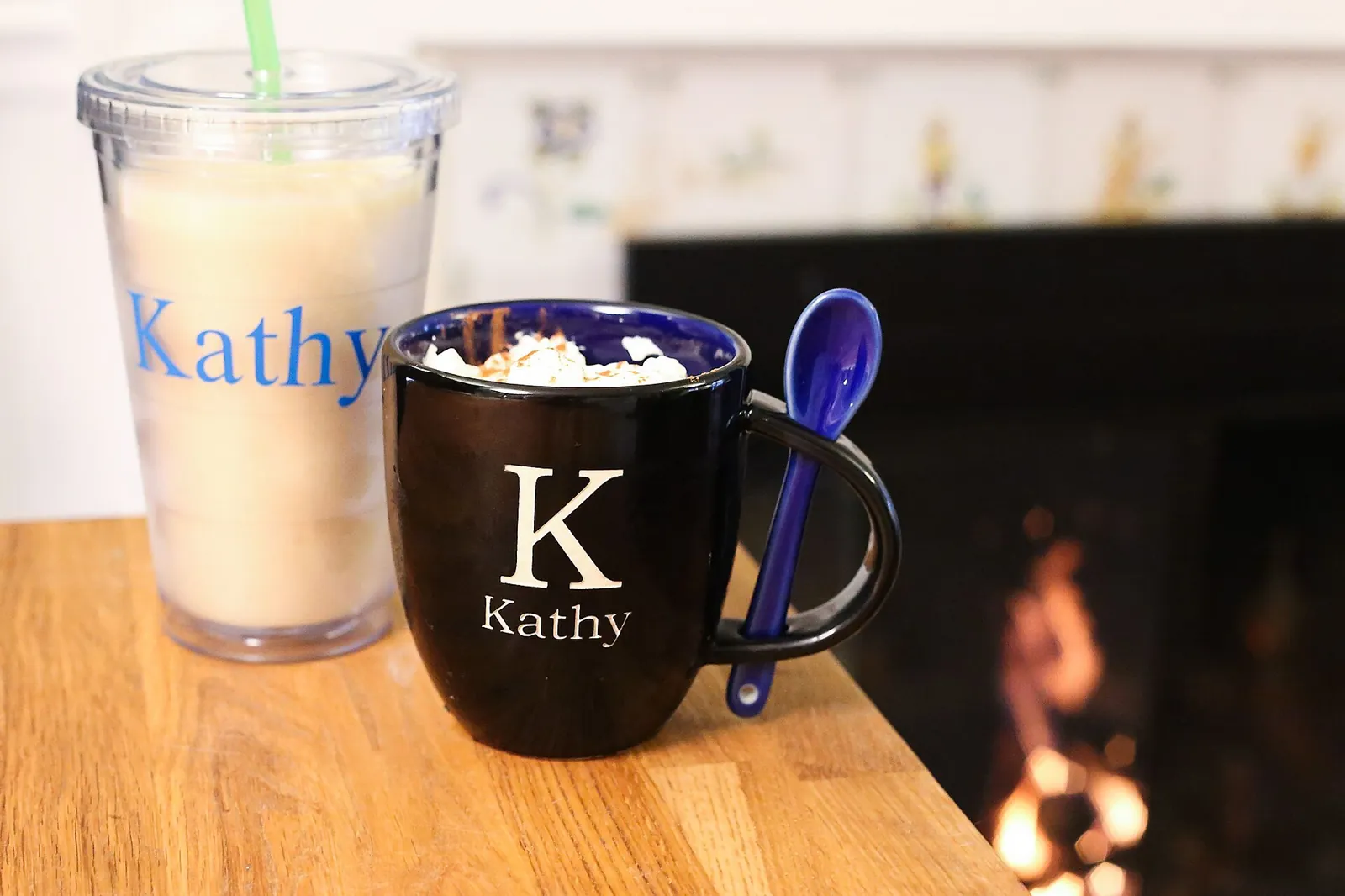
- A name or monogram in a clean serif font, a format that works for nearly anyone on your list of personalized gifts.
- A short line the recipient says often, or a family recipe title for a grandparent.
- Small repeating icons (snowflakes, hearts, coffee beans) for a seasonal set.
- A teacher or coworker set in a shared color theme; see teacher gifts under $15 for pairing ideas.
How to package a custom mug
Fill the mug with hot cocoa packets, tea bags or wrapped candy, wrap it in cellophane gathered at the top with ribbon, and tie on the care card. For shipping, wrap the mug in bubble wrap and box it with padding on all sides. A mug also makes a good centerpiece for a small themed basket; our guide to building a gift basket shows how.
Frequently asked questions
Are Cricut mugs dishwasher safe?
It depends on the method. Cricut says Infusible Ink mugs made with the Mug Press are dishwasher and microwave safe. Its Smart and Premium Permanent Vinyl is described as dishwasher-friendly on the top rack after 24–48 hours, but Cricut also warns that vinyl results may peel, flake and fade with washing over time.
Can I use a regular mug with the Cricut Mug Press?
Cricut designed the press around its own blanks. It says generic mugs labeled sublimation-compatible are likely to work with Infusible Ink, but it cannot guarantee results; plain glazed mugs without a poly coating will not take the ink.
Can I put a vinyl mug in the microwave?
Avoid it. Cricut describes Infusible Ink mugs as microwave safe, but not vinyl-decorated mugs.
Can I use an EasyPress instead of the Mug Press?
No. Cricut explains that EasyPress models have a flat, rigid heat plate that cannot safely secure a mug or apply even heat and pressure to a curved surface. The Mug Press uses a flexible heat plate made for mugs.
Sources
- Cricut Help Center — Cricut Mug Press FAQ. help.cricut.com
- Cricut Help Center — Dishwasher-Friendly Care Instructions. help.cricut.com
- Cricut Help Center — Cricut Vinyl. help.cricut.com
Image credits. Top image: Personalized let it snow mug on a table with liqueur bottles (15692206507) by Personal Creations, CC BY 2.0, via Wikimedia Commons · In-article image: Personalized mug and cup filled with a pumpkin shake (15628352000) by Personal Creations, CC BY 2.0, via Wikimedia Commons
Spotted something out of date or a gift that's no longer available? Tell our editors — we review every correction.